


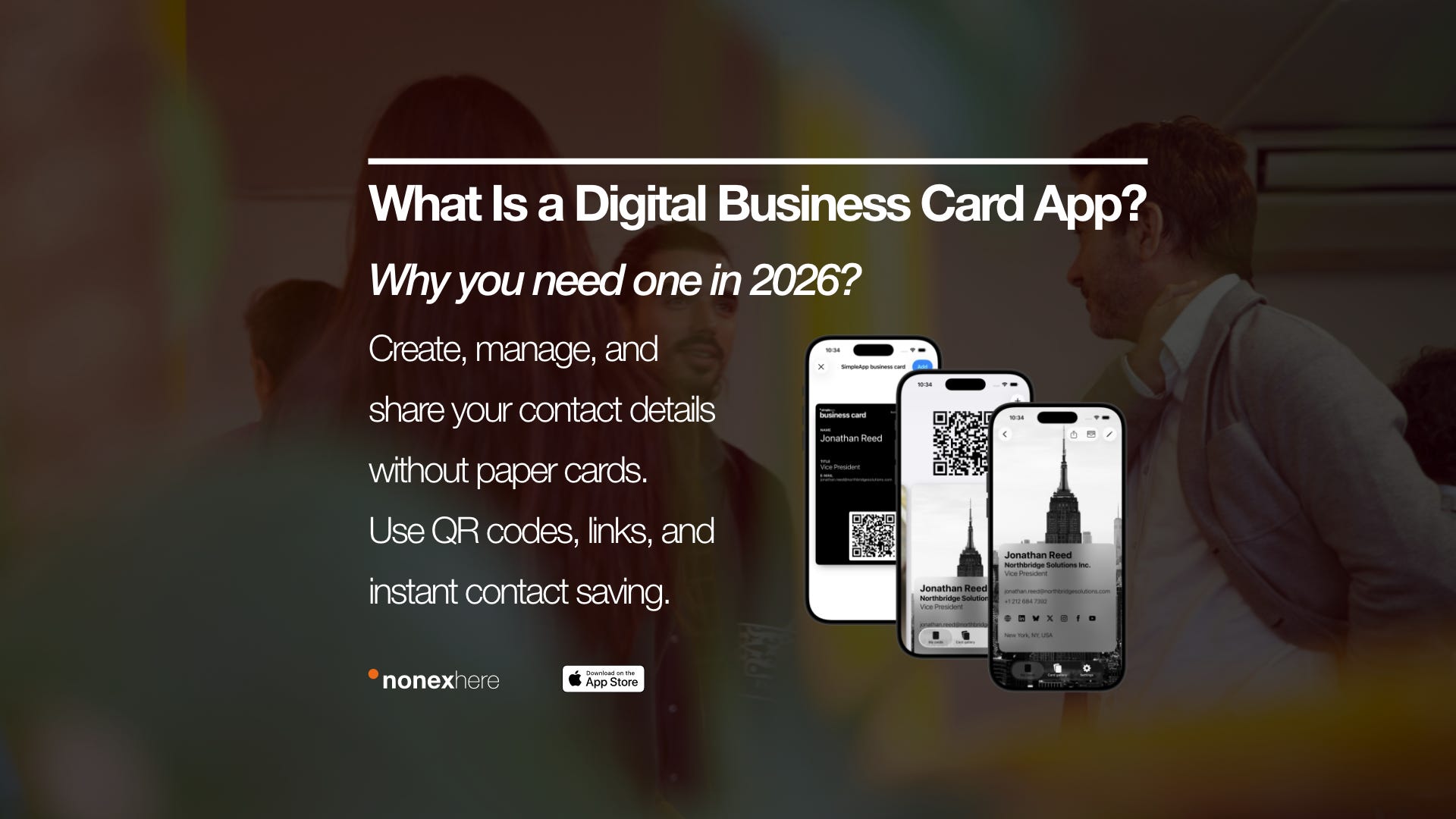
In 2026, that matters because professional networking is faster, more mobile, and more digital than ever. A paper card can still work, but a digital business card app is easier to update, easier to share, and more useful across remote work, travel, events, and everyday introductions.
What is a digital business card app?
A digital business card app is a tool that turns your contact details into a shareable digital profile. Instead of handing someone a printed business card, you share a QR code, a link, or a wallet-ready card from your phone.
A good app usually includes your name, title, phone number, email, website, social links, and sometimes your portfolio or booking link. In practice, it works like a modern contact layer between you and the people you meet.
What is the difference between a digital business card and a digital business card app?
A digital business card is the card itself. A digital business card app is the tool you use to create, edit, organize, and share that card.
This difference matters because some people only need a simple online profile, while others need a full app-based workflow. If you want real-time updates, QR sharing, Apple Wallet support, or multiple cards for different roles, the app becomes the useful part, not just the card.
If you’re comparing different tools and want to see how they differ in features, design, and flexibility, you can explore our guide to the best digital business card apps in 2026 and find the one that fits your workflow.
Why do people use a digital business card app instead of paper business cards?
People use a digital business card app because paper cards are static. Once printed, they cannot update themselves, and they are easy to lose, forget, or throw away.
A digital card app solves that by keeping your information current and easy to access. If your title changes, your number changes, or you want to add a new website, you update it once and keep sharing the same card. That is the main reason digital cards are growing while traditional business cards are slowly becoming secondary.
This shift didn’t happen overnight. If you’re curious how traditional business cards evolved into today’s digital solutions, you can explore our article on the evolution of the digital business card.
When is a digital business card app most useful?
A digital business card app is most useful when you meet people often, work across contexts, or need to share your details quickly. This includes conferences, coworking spaces, client meetings, freelance work, remote teams, travel, and social-first networking.
It is especially useful for consultants, founders, creators, sales professionals, recruiters, and digital nomads. These people often move between roles and environments, so they need something more flexible than a single printed card.
It is less useful only when your work is fully offline, highly local, and rarely involves new introductions. Even then, many professionals still benefit from having a digital backup.
Why is a digital business card app important in 2026?
A digital business card app is important in 2026 because introductions now happen across physical and digital spaces at the same time. You might meet someone in person, continue on LinkedIn, send a follow-up by email, and share your booking link all within one day.
That kind of professional flow is hard to support with paper alone. A digital business card app fits the way people actually connect now: mobile-first, fast-moving, and often cross-platform. It also reflects a bigger shift, from static identity to flexible professional presence.
To see how this works in real life, especially while constantly traveling, you can explore how digital nomads manage networking and find new clients across different cities.
What features should a good digital business card app include?
A good digital business card app should make sharing easy, updating simple, and your profile clear. It should not add friction.
Look for these features:
QR code sharing
Lets people scan and access your details instantly.Direct link sharing
Useful for email, social bios, chat apps, and remote intros.Real-time editing
Lets you update details without reprinting anything.Apple Wallet or wallet support
Makes the card faster to access during live conversations.Multiple card support
Helpful if you have more than one role, brand, or audience.Contact saving
Lets people save your details directly to their phone.Clean customization
Supports your identity without turning the card into clutter.
The best apps usually do a few things very well instead of trying to behave like an all-in-one CRM.
If you’re comparing different tools and trying to decide which platform fits your workflow best, you can also explore our guide to the best digital business card apps for professionals in 2026.
How does QR sharing work in a digital business card app?
QR sharing works by generating a scannable code that opens your digital card. When someone scans it with their phone camera, they see your contact page, profile, or save-to-contacts flow.
This is one of the strongest reasons people use a digital business card app. It is fast, clear, and low-friction. It also works well in noisy, busy, or time-limited places where spelling your name or repeating your email would slow the interaction down.
A common mistake is treating the QR code like the whole product. It is not. The QR code is just the access point. The real value is the page, profile, or contact experience behind it.
Why does Apple Wallet support matter?
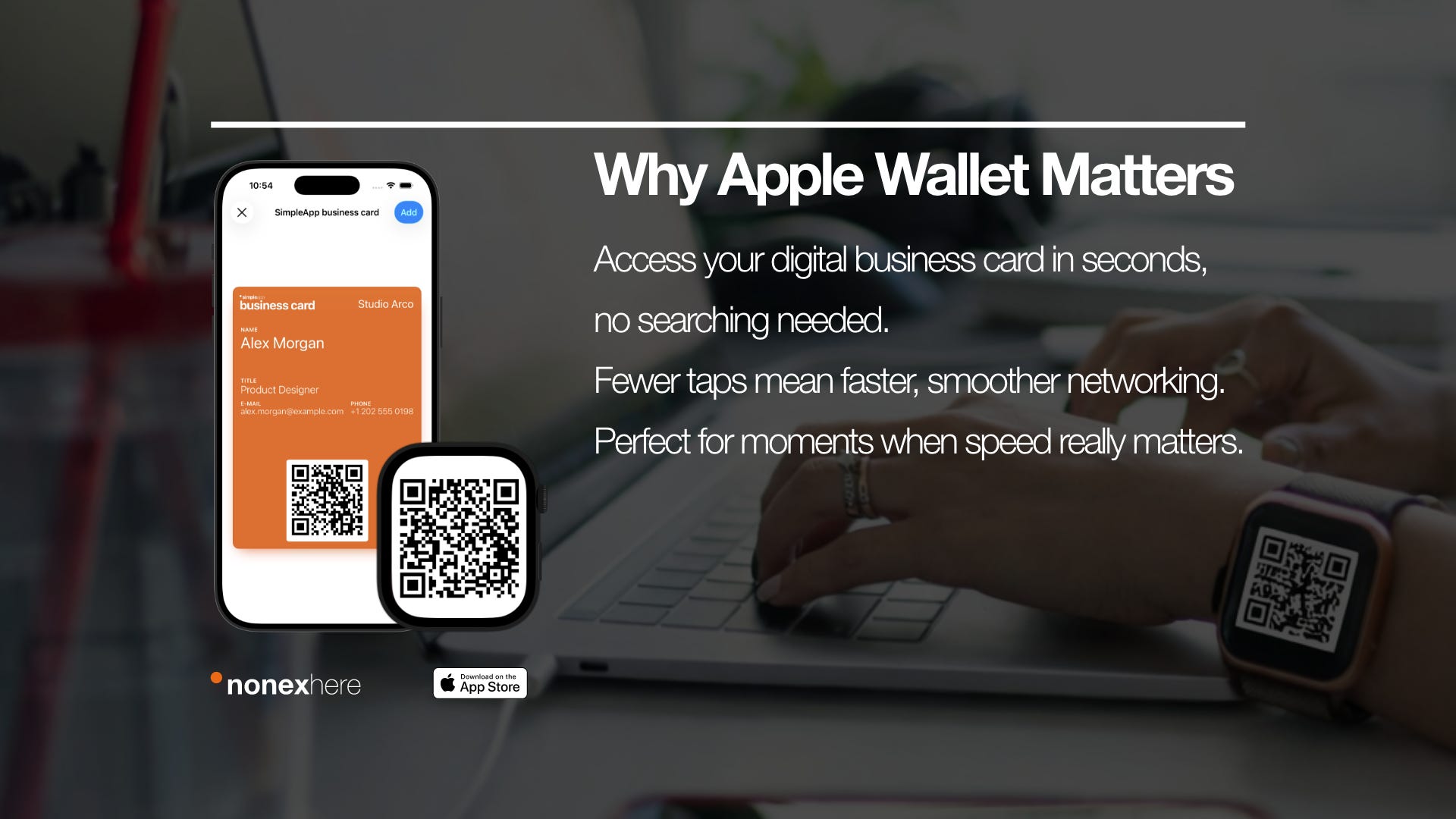
Apple Wallet support matters because speed matters. If your card is saved in Wallet, you can open it in seconds without searching through apps, messages, or tabs.
This becomes very useful in real life. Imagine meeting someone after a panel, during a coworking coffee break, or while moving through an airport. In those moments, fewer taps means a better interaction. Wallet also makes the card feel more present and usable, not hidden inside your phone.
Not every user needs this feature, but for frequent networkers it can make a noticeable difference.
What is the difference between a digital business card app and an online business card?
An online business card usually refers to a web-based profile or page. A digital business card app usually adds mobile workflows, editing tools, QR generation, wallet support, and faster sharing behavior.
Here is the practical difference:
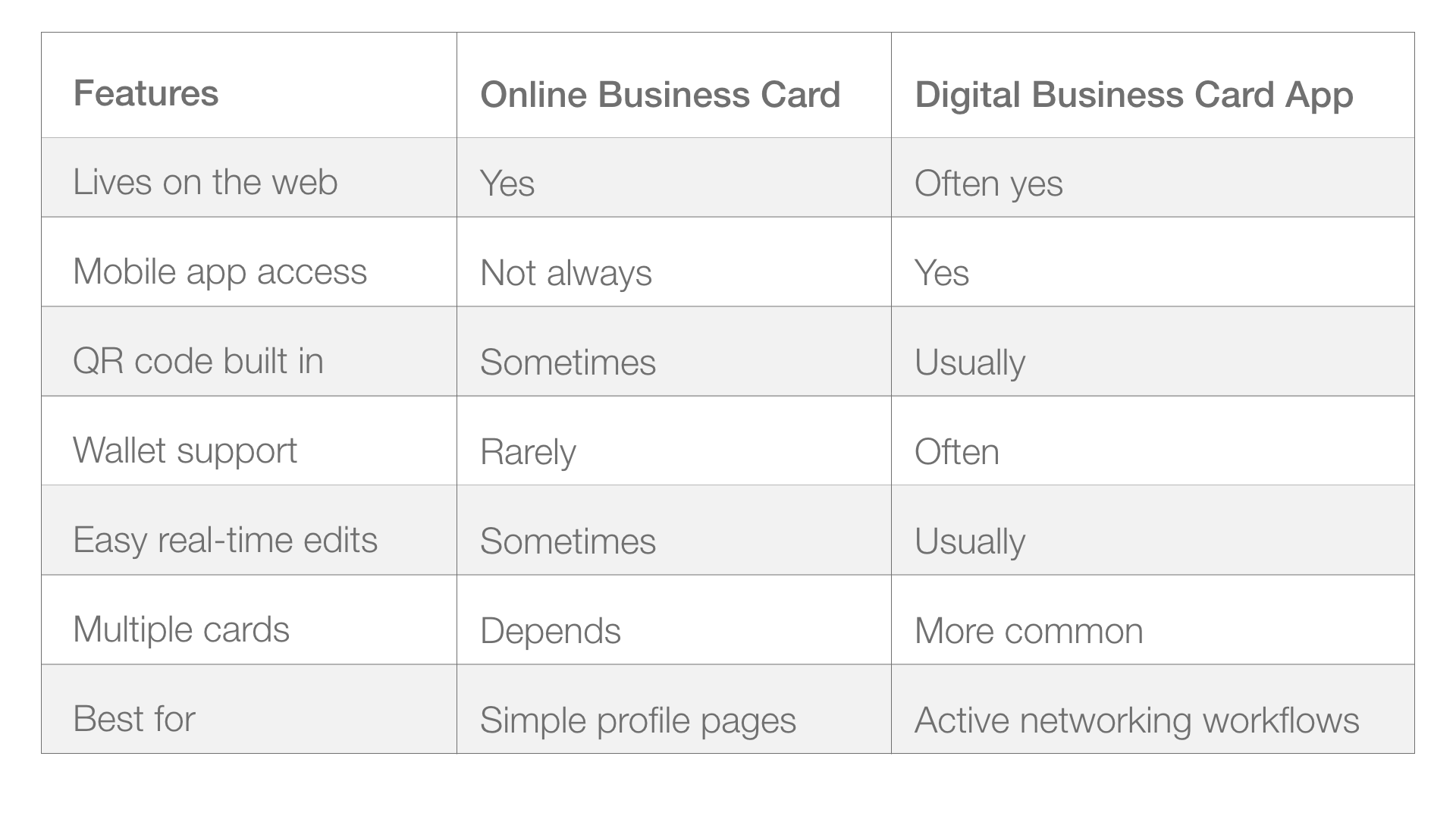
Some tools offer both. That is often the best setup: app-based control with web-based access.
How do you use a digital business card app step by step?
Using a digital business card app should be simple. The best tools are easy to set up in a few minutes.
Step 1: Add your core contact details
Start with your name, title, phone number, and email. If those are not clear, the rest of the card will not help.
Step 2: Add only the links that matter
Include your website, LinkedIn, portfolio, or booking page if they support the action you want. Do not add every platform you have just because you can.
Step 3: Choose a clean layout
Pick a style that fits your work. A designer, consultant, and startup founder may all need different visual emphasis, but clarity matters more than decoration.
Step 4: Generate your QR code or sharing link
Test it. Scan it with your own phone and another device. Make sure it loads quickly and looks correct.
Step 5: Save it where you can reach it fast
If the app supports Apple Wallet or Widget, use it. If not, keep the card somewhere visible and easy to open.
Step 6: Use it in real interactions
Try it at an event, in a meeting, or after a call. Watch where people hesitate. That tells you what to improve.
Ready to get started?
Follow the step-by-step video below to create your digital business card in minutes.
What common mistakes do people make with digital business card apps?
The biggest mistake is overbuilding the card. People add too many links, too much text, too many colors, or too many identity layers. Instead of making contact sharing easier, they make the card harder to understand.
Another mistake is forgetting to test the actual experience. A card may look fine inside the app but load poorly when shared. Broken links, weak hierarchy, or confusing layouts create friction at exactly the wrong moment.
A third mistake is using one card for every situation. This often fails for people with multiple roles. A founder who also consults, speaks, and creates content may need different versions for different contexts.
What works well in real-world use?
What usually works is simplicity. Short cards, clear roles, one strong next step, and fast sharing methods perform better than complex setups.
Tested approaches that tend to work:
A clean card with one main identity
A QR code that opens instantly
A wallet-ready version for in-person networking
A separate card for separate audiences
A follow-up link that is easy to revisit later
What often fails:
Trying to impress with too much design
Treating the card like a mini website
Using outdated links
Hiding contact information behind unnecessary taps
The surprising part is that the best digital business card app experience often feels almost invisible. It does not attract attention to itself. It simply makes the connection easier.
Can a digital business card app replace printed cards completely?
For many people, yes. A digital business card app can fully replace printed cards, especially if your work happens across mobile, online, or international settings.
But not always. Some industries still expect physical materials, and some events still lean traditional. In those cases, the most practical approach is not digital versus paper. It is digital first, with paper as backup if needed.
That is why many professionals do not stop using business cards entirely. They change the role of the card. The phone becomes the main tool, and the printed card becomes optional.
Which professionals benefit most from a digital business card app?
The people who benefit most are the ones who introduce themselves often. That includes freelancers, sales professionals, founders, consultants, recruiters, creators, speakers, and digital nomads.
It is also useful for anyone with role complexity. If you work across projects, brands, or markets, a digital business card app helps you manage that complexity more clearly than a single paper card can.
Even students and early-career professionals can benefit. A well-made digital card can make someone look more prepared, more organized, and easier to contact.
Is there a best digital business card app for everyone?
No. There is no single best digital business card app for everyone because different workflows need different features.
Some users want a simple business card app with QR sharing and clean design. Others want multiple cards, Apple Wallet support, or stronger customization. Some need a lightweight tool. Others need a more advanced digital business card maker.
The right choice depends on how you meet people, what you need to share, and how often your information changes. In many cases, the best option is the one you will actually keep updated and use regularly.
Where does a soft product fit into this picture?
If you are exploring tools in this category, it helps to choose one that is simple enough to use every day and flexible enough to grow with your workflow. That is often where purpose-built tools can stand out.
For example, some professionals prefer lightweight options like Digital Business Card SA because they want quick setup, clear sharing, QR access, and a practical card they can actually use in meetings, events, and day-to-day networking.
FAQ: What do people still ask about digital business card apps?
Is a digital business card app only for salespeople?
No. It is useful for anyone who needs fast, professional introductions, especially freelancers, consultants, founders, creators, and remote workers.
Can I use a digital business card app without QR codes?
Yes. Most apps also support direct links, contact saving, and sometimes wallet access. QR is common, but not the only method.
Is a free business card maker enough?
Sometimes. A free business card maker or free digital card tool can be enough to get started, but many people outgrow free plans when they need more control.
Is an electronic business card the same as a virtual business card?
Usually yes in broad meaning. Both refer to a digital version of a business card, though different tools may use slightly different labels.
If you’d like to go deeper, we’ve also answered the most common questions about digital business cards, from QR sharing to choosing the right setup.
Conclusion
A digital business card app is no longer a niche tool. It is a practical answer to how professionals actually connect in 2026: quickly, across devices, across places, and often across roles. At its simplest, it helps you share your details without paper. At its best, it helps you manage your professional identity in a way that feels current, useful, and easy to maintain.
That matters because introductions do not end at the first moment anymore. They continue through QR scans, saved contacts, wallet passes, follow-ups, profile links, and repeat interactions. A good app supports that full journey. A weak one only replaces paper. The difference is bigger than it sounds.
If you meet new people often, work remotely, travel, manage multiple roles, or simply want cleaner professional contact sharing, a digital business card app is probably worth using. And if you are just getting started, the easiest next step is simple: try one, test it in real conversations, and see whether it makes sharing your details easier. If you want to explore a practical option, you can download Digital Business Card SA and start using it in your own workflow.